

A good SMP server gives players a world they want to keep returning to: somewhere to build, neighbors they can trust and shared projects worth finishing. Getting the server online is the first job. Making its rules, plugins, spawn and maintenance support that experience is what keeps it playable.
This guide walks through creating a Minecraft survival multiplayer server in 2026, from choosing software to testing the first player journey. It includes a practical plugin shortlist, a land-claim comparison, a compact spawn build plan and a launch checklist. Documentation reviewed: 17 October 2026. The example setup uses a standalone Java Paper server. Suggested dimensions, memory allocations and community policies are starting points to test, not universal requirements.
1. Decide what kind of SMP you are making
SMP means survival multiplayer, not a fixed plugin collection. A group of friends sharing a vanilla world is an SMP. So is a public server with protected plots and an economy. Before buying hosting, write a short promise that describes the actual experience.
Example: “A cooperative survival world with protected player builds, a shared shopping street and no scheduled full reset. PvP needs consent. New players start with ordinary survival progression, and staff publish any changes that affect farms or world access.”
| Format | Good fit | Tradeoff |
|---|---|---|
| Private vanilla-style SMP | Friends who already know each other and want familiar survival. | Trust and active moderation carry more weight. Minimal plugins do not eliminate the need for backups. |
| Public survival with claims | New players joining over time, with independently owned homes and shops. | Claiming must be easy to learn, and staff need rules for abandoned land and disputes. |
| Town and economy SMP | Players who enjoy shared settlements, markets and municipal projects. | Taxes, plot permissions and upkeep add administration and can punish casual players if poorly configured. |
| Modded cooperative SMP | A group that wants a specific technology, exploration or building modpack. | Clients and server must match the modpack. The Paper plugin instructions below are not a modpack installation guide. |
Decide whether PvP is disabled, consensual or unrestricted; whether theft is ever allowed; how far players should build from existing bases; and whether the world has seasons. Also decide whether teleporting is convenient or whether roads and railways should matter. Do not promise “pure vanilla” while adding gameplay-changing commands.
For examples of how communities describe these differences, compare our survival server listings, vanilla directory and Towny listings. If your central idea is rival teams raiding bases, the Factions setup guide is a better starting point.
2. Choose software and hosting that match the plan
For the plugin-based SMP in this guide, use Paper. It provides the platform for the Bukkit-style plugins discussed below. Do not put those JARs into a vanilla server or assume they work on a Fabric or NeoForge server.
| Choice | Choose it when | Check first |
|---|---|---|
| Vanilla server | You want the standard game without a Bukkit plugin stack. | How you will manage access, moderation and backups with the available tools. |
| Paper | You want permissions, claims, logging and optional utility plugins. | Plugin support for the exact release and any gameplay differences important to your players. |
| Fabric or NeoForge | You have selected a modpack or particular server mods. | The loader, mod versions, client requirements and the pack's own installation instructions. |
| Managed hosting | You want a control panel and help with the machine rather than administering an operating system. | It still needs to offer your chosen software, Java runtime, file access and usable backups. |
Paper is not identical to vanilla in every detail. Technical players should review Paper's vanilla-like behavior documentation and test the farms or mechanics they rely on. Changing a setting to restore a particular mechanic can have other consequences; avoid copying an entire “optimization” configuration without understanding it.
Paper's Java version table lists Java 21 for 1.20–1.21.11 and Java 25 for 26.1+. Match the runtime to the chosen build. “Supports 1.21” on a plugin page does not confirm 26.x compatibility. Read our 2026 version guide if the numbering is unfamiliar.
What to check before paying for hosting
- CPU allocation: ask about the processor and shared limits. Several large farms can matter more than the number of people standing at spawn.
- Storage: allow room for the main world, Nether, End, logs, map renders and multiple backups. Explore how storage upgrades are charged.
- Control: you need console access, upload/download access, runtime selection and the ability to stop the server cleanly.
- Recovery: confirm what a backup contains and whether you can download it. A restore button you have never tested is not a recovery plan.
- Location: pick a region near the first group of players. Ask about network protection and what happens during an outage.
For a small private test, a 4 GB maximum Java heap is a reasonable experiment if the machine has additional memory available. It is not a promise that a particular player count will fit. Budget for the host, backup storage and any paid software separately. Avoid buying a large stack of paid plugins before proving the basic game is enjoyable.
3. Start the server privately
- Create a dedicated folder and install the Java version required by your selected Paper build.
- Check
java -version, download Paper from the official site and place the JAR in that folder. - For this example, rename the file to
paper.jarand run the command below from the same folder. - Read the Minecraft EULA. If you agree, set
eula=truein the generated file and start again. - After startup finishes, type
stopin the console before editing files.
java -Xms2G -Xmx4G -jar paper.jar --noguiThese memory values are examples. On managed hosting, use its startup configuration rather than launching a second process. Keep the original build number in your notes even if you rename the downloaded file.
For this cooperative, standalone example, start with the following server.properties values. The Paper property reference explains the settings for current builds.
online-mode=true
white-list=true
enforce-whitelist=true
gamemode=survival
difficulty=normal
pvp=false
enable-rcon=false
motd=A cooperative survival world
Keeping authentication enabled is important for a directly reachable Java server. Proxy or Floodgate installations have their own complete authentication setup; do not switch off online mode to fix an unrelated connection problem. With pvp=false, this example does not offer a player-versus-player arena. If you later add one, revisit the global setting and region rules together.
Start the server and add testers through the console:
whitelist add YourPlayerName
whitelist add SecondTester
Use real account names in place of the examples. Connect on the local machine first, then from another network. A standard Java listener commonly uses TCP port 25565, but your host may allocate another port. For home hosting, check the router, firewall and whether the ISP uses carrier-grade NAT. Opening a game port does not require exposing a database, remote console or control panel.
Keep the whitelist while building. Decide separately whether the final server remains application-based or becomes public. A private test world gives you space to make mistakes before anyone has invested weeks in a base.
4. Build a small, useful plugin stack
The best SMP plugins solve a clear problem without taking over the survival experience. Start with administration and recovery, then add conveniences deliberately. The following are projects to evaluate against your exact server version, not a claim that every current release works together.
| Purpose | Project | Why install it? | Watch out for |
|---|---|---|---|
| Permissions | LuckPerms | Give players and staff specific capabilities. | Wildcard permissions and inherited bypass access. |
| Investigation | CoreProtect | Investigate supported block and container actions and perform carefully scoped recovery. | It is not a complete world or database backup. |
| Player land | GriefPrevention, Lands or Towny | Let players manage protected building space. | Choose one main system; compare their models below. |
| Utility commands | EssentialsX | Offer selected homes, teleport requests and other commands. | Too many conveniences can remove the value of roads, exploration and trade. |
| Shared spawn | EssentialsX Spawn | Provide a configured spawn destination alongside EssentialsX. | First join, beds and death respawns need separate tests. |
| Staff regions | WorldGuard + WorldEdit | Protect spawn and public facilities. | WorldGuard requires WorldEdit; overlapping player claims can create confusing rules. |
| World preparation | Chunky | Generate the planned playable area before opening. | Generation and stored chunks consume resources; choose a bounded area. |
| Optional economy bridge | Vault | Connect compatible consumers to an economy provider. | A bridge alone does not create an economy. |
| Optional web map | BlueMap | Help players find public roads and settlements. | Rendering costs disk and CPU; consider private base locations and public player visibility. |
| Optional crossplay | Geyser | Allow supported Bedrock clients to connect to the Java server. | Follow the documented authentication setup and test menus and player identity. |
Install in small stages
Use Paper's plugin installation instructions. Stop the server, add compatible plugin JARs and their dependencies to plugins/, start it and inspect the startup log. Let configuration files generate before editing them. Make a backup after each working stage, and use full restarts while building this setup.
Install LuckPerms and logging first, then the claim system, then optional commands and spawn protection. Do not add ten unrelated plugins and try to diagnose their combined errors afterward. Our plugin planning guide explains the broader workflow.
For a permission example, an administrator can enter the following in the console after installing the relevant EssentialsX modules:
lp group default permission set essentials.spawn true
lp group default permission set essentials.home true
lp group default permission set essentials.sethome true
Only grant homes if they belong in your design. Configure the intended limits, then test with a player who has never been an operator. Use the LuckPerms usage guide and EssentialsX permission reference for additional nodes. Avoid granting * to make a command work.
5. Compare GriefPrevention, Lands and Towny
Land protection shapes your community. Independent homesteads need something different from cities with mayors and residents. Do not select a system merely because it has more features than another.
| Option | Best fit to investigate | Main decision |
|---|---|---|
| GriefPrevention | Personal builds with a relatively straightforward claim-and-trust workflow. | Choose the supported release line and its matching instructions. The project distinguishes v16 legacy documentation from v17+ alpha changes. |
| Lands | Communities that want land management with configurable roles and a more elaborate feature set. | Check current purchase terms, version requirements and whether you actually need the extra management options. |
| Towny | Settlements organized around towns, residents and plots. | Review wilderness behavior, economy/upkeep and what happens when land is unclaimed. Do not assume existing-world settings are harmless defaults. |
| No player claim plugin | A small invited group with strong trust and active staff. | How to handle theft, disputes and recovery when social rules fail. |
For a public building SMP, begin by evaluating a simple personal-claim workflow. For a settlement-focused game, evaluate Towny. Choose Lands when its documented land-management features solve an identified need. These are editorial recommendations, not benchmark results.
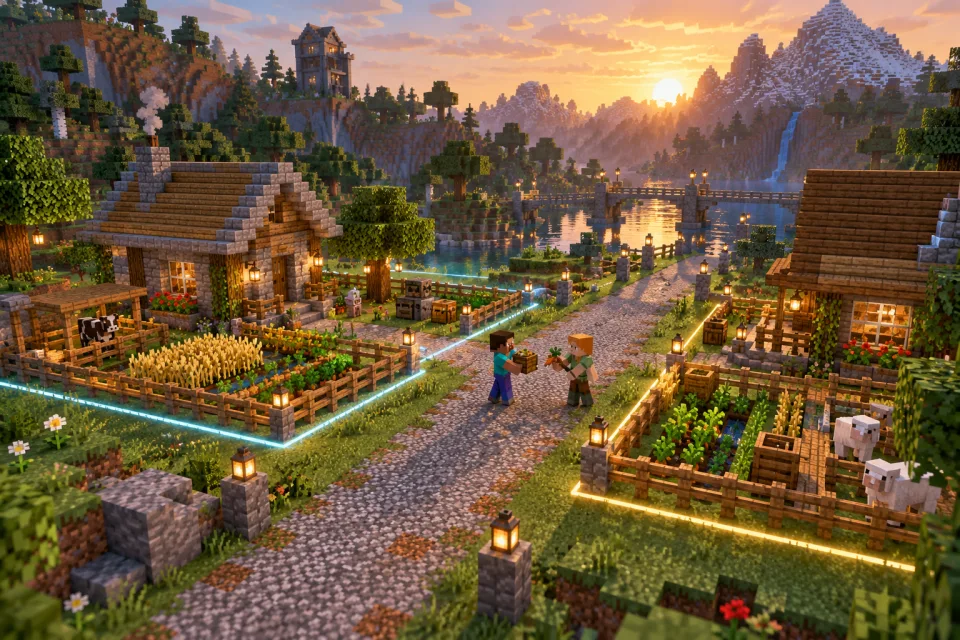
Test a claim before trusting it
- Use two non-operator accounts: one owner and one visitor.
- Create a small claim using the documentation for the installed build.
- Try breaking blocks, opening containers, using doors, placing water and interacting with animals as the visitor.
- Give the visitor only the access needed for a shared project. Repeat the tests, then revoke it.
- Test boundaries, neighboring claims and accessible dimensions. Restart and repeat the important checks.
Write rules for unused claims, shared roads and abandoned shops before disputes arise. Give players notice before reclaiming land. Do not encourage everyone to claim enormous areas around spawn: late arrivals need room too. Preserve the claim database with the corresponding world backup.
6. Design spawn around the first five minutes
The best SMP spawn is easy to understand and easy to leave. A huge decorative lobby can delay the thing players joined for: survival. Build a small functional hub first, then let the community extend it.
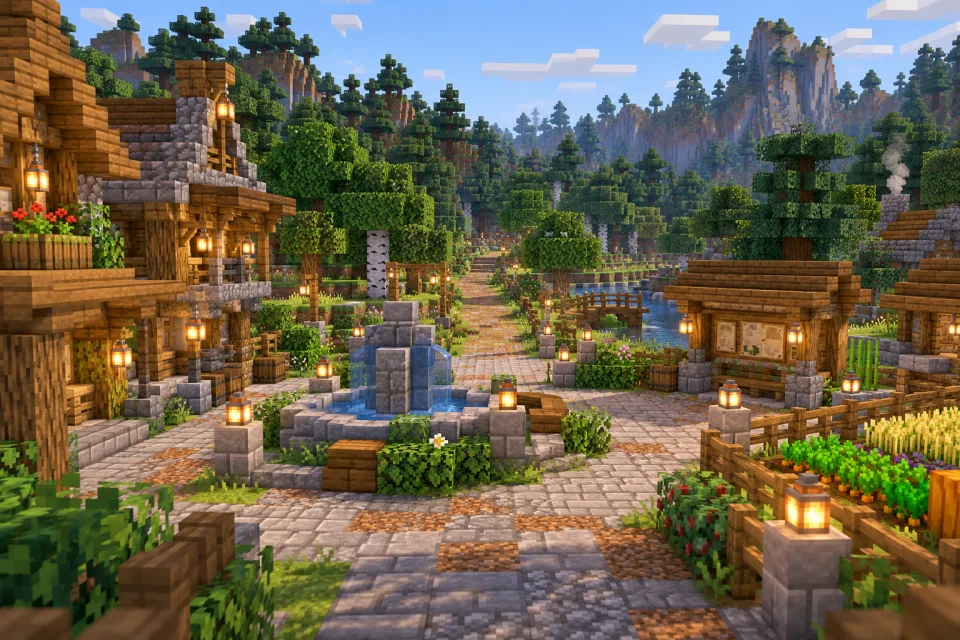
A first-time player should be able to answer four questions without an administrator escort: Where am I? What are the essential rules? How do I protect a home? Where can I start playing?
- Arrival: a safe, well-lit platform with a clear view, not a hole, roof or staircase.
- Rules: a short summary plus a route to the full policy. Put reporting and land protection near the top.
- Orientation: an obvious survival exit and a visible landmark to return toward.
- Useful services: a small renewable food garden, noticeboard and help point. Avoid giving away equipment that skips early progression.
Place donation information and optional extras away from the arrival sightline. Do not require visitors to walk through a shop or navigate a dozen menus before finding the world. If the first screen is mostly advertisements, you have built a sales lobby rather than a survival welcome.
7. Build a compact spawn, step by step
The following is an original example plan for a small community. A roughly 65 × 65 block hub gives you room for the essentials without filling the entire horizon. Adjust it to the terrain rather than flattening a large area automatically.
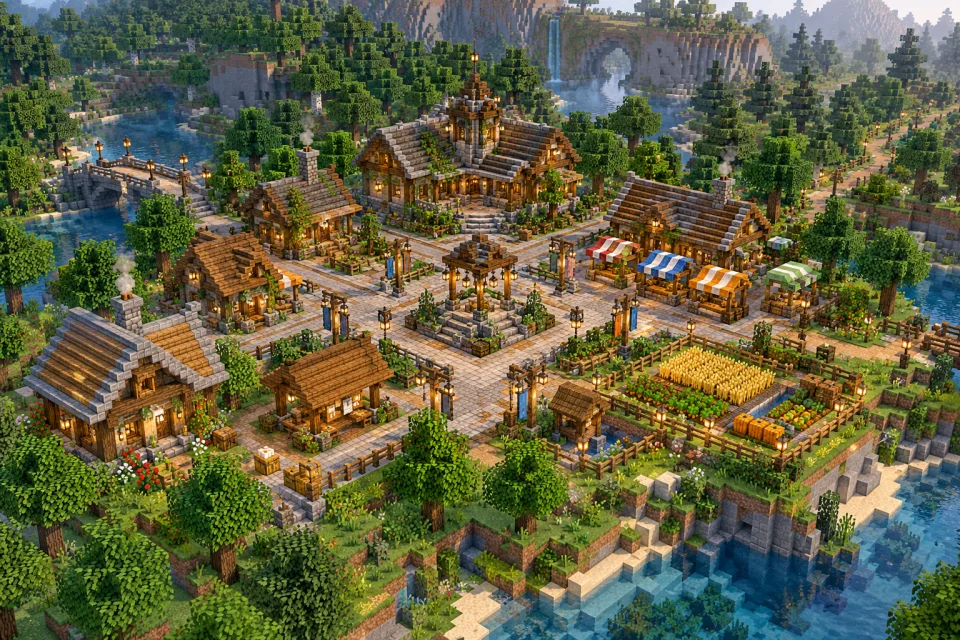
Step A: choose the site and mark the routes
Find terrain with a safe approach, nearby building space and enough elevation variation to look natural. Walk the area in survival before choosing it. Mark a 9 × 9 arrival area and a main path about five blocks wide leading to the wilderness. Mark secondary paths around three blocks wide. These widths are build suggestions, not movement requirements.
Keep at least one direct route free of gates, jumps and forced parkour. Test how the paths feel with ordinary movement, a boat or mount if you allow them, and the devices your players use. Place the main exit where an arriving player is already looking.
Step B: choose a small material palette
| Role | Example materials | Design reason |
|---|---|---|
| Foundations and low walls | Stone bricks, stone and a little mossy stone | Creates a consistent base without making every surface equally noisy. |
| Frames and roofs | Stripped oak, oak planks and dark oak accents | Gives buildings a recognizable family of shapes. |
| Paths | Gravel, coarse dirt and restrained stone edging | Makes routes distinct from gardens and private build areas. |
| Landmarks | A fountain, one taller roof and a repeated banner color | Helps visitors navigate without reading every sign. |
| Lighting and greenery | Lanterns, leaves, planters and a few trees | Adds warmth while preserving views across the square. |
Build one small sample wall and roof before ordering hundreds of blocks. Use weathering near the ground or water rather than scattering every texture everywhere. A consistent silhouette usually reads better than excessive detail.
Step C: add only the useful buildings
Place a small notice shelter beside arrival, a food garden along a secondary route and a few empty stalls for future player shops. Leave room for players to contribute. Put a fountain or statue beside the main walking line so it becomes a landmark without forcing everyone around it.
Avoid dozens of NPCs, floating labels and decorative entities before measuring performance. Ordinary signs and recognizable buildings may be enough. Check lighting at night and look for surfaces where unwanted mobs can appear; protection settings and build design should support each other.
Step D: test it without instructions
Ask someone who did not build spawn to join on a normal account. Do not tell them where to go. Observe whether they can find the rules, learn how to claim land and reach a legal building location. If they take a wrong turn, fix the layout or wording rather than adding another paragraph of instructions.
Repeat at night and with a modest render distance. A tower visible only at very high settings is not a reliable navigation aid. Test any downloaded schematic in a private world first, inspect its contents and check its creator's usage terms.
8. Configure spawn and protect its useful features
With EssentialsX and the compatible EssentialsX Spawn module installed, an administrator can stand at the intended arrival point and use /setspawn. Test /spawn with the normal permission group. Do not assume this single command determines every first-join or death destination; review the module's generated configuration and other plugins that control respawning.
Check four cases separately: a new player, an existing player using the spawn command, a player dying with a valid bed and a player dying without one. Include Nether and End returns in your test. A hub is frustrating if it repeatedly overrides a valid home bed without warning.
For staff-controlled protection, follow the WorldGuard quick start. Use WorldEdit to select a cuboid covering the hub and the intended vertical space, then define a region. For this non-PvP example, these are useful starting flags:
/rg define spawn
/rg flag spawn pvp deny
/rg flag spawn tnt deny
/rg flag spawn creeper-explosion deny
These flags are not a complete protection policy. Test building, containers, crop harvesting, buttons, animals and portals as a non-member. A protected food garden that nobody can harvest is decorative, not useful. Use a carefully scoped subregion or your protection system's documented permissions for public interactions.
Keep player claims outside the staff hub, or explicitly test the integration where they overlap. If you alter vanilla spawn protection after installing regions, verify the replacement first. Never leave a window where the public spawn is unprotected just because the new region looks correct on screen.
9. Keep survival progression coherent
Decide how much assistance players receive and what remains earned. A server with free enchanted equipment, unlimited teleports and an admin shop selling every material can remove most reasons to explore, trade or cooperate.
| Feature | A modest starting policy | What to watch |
|---|---|---|
| Homes | One home if you want occasional convenience. | Whether travel networks still have a purpose and whether the limit is actually enforced. |
| Starter help | A renewable food patch and clear directions. | Whether players can still experience the early game. |
| Sleep | Agree on how nights are skipped using settings supported by your version. | Players who need nighttime mobs or weather for projects. |
| Death | Publish the inventory-loss and recovery rules. | Graves or keep-inventory features change risk and need compatibility tests. |
| End access | Announce the first community dragon event before opening access. | Late arrivals should still have a route to progression afterward. |
| World resets | State whether there is a planned reset and what it affects. | Do not promise permanence you cannot maintain or reset without notice. |
Consider a separate resource world only when resource depletion is a real issue. That adds world-management tooling, permissions and a reset procedure. If you use one, make it visually and verbally unmistakable that builds there are temporary. A player should never discover that their home was in a reset zone after it disappears.
Barter or a money economy?
For a small group, player shops trading resources can be enough. A currency system becomes useful when it solves a real trade problem, but it also introduces inflation, pricing and integration work. EssentialsX can be an economy provider for compatible integrations; Vault is a bridge rather than the provider itself.
Start with a limited way to earn money and a few useful ways to spend it. Check whether automated farms can generate unlimited income, and test crafting or buy-and-sell loops. If one farm makes ten times as much as normal play, the rest of your prices inherit that imbalance.
Delay jobs, quests, auction houses and custom enchantments until players can explain what is missing from the current experience. Add one system at a time and record its effect. Our tag guide helps distinguish gameplay modes from features when describing the finished server.
10. Set world boundaries and prepare for exploration
Choose a world size for the first community, not for a hypothetical thousand-player launch. A bounded starting area makes generation, backups and map rendering more manageable. Leave a documented expansion plan so future terrain can be introduced without erasing homes.
Chunky's command reference covers world, shape, center and radius selection. Before starting a task, verify all four. A border diameter is not the same as a generation radius: a 6,000-block-wide square centered at zero reaches 3,000 blocks in each direction. Plan the Nether and End separately rather than assuming one task covers all dimensions.
Generate during setup or maintenance, observe CPU and disk usage and confirm the task completed. Then explore near the edges with a tester. Pre-generation reduces work from discovering new chunks inside that area; it does not fix lag from villagers, hoppers, mobs or plugins.
Use Paper's spark profiling guide when a repeatable activity causes lag. Modern Paper includes spark, so check your build before adding a duplicate profiler. At 20 ticks per second, each tick has a 50-millisecond budget. Capture the period when the problem occurs instead of profiling an empty server and assuming it represents busy evenings.
Test a realistic mix: players exploring, a busy storage system, a farm and several people at spawn. Change one setting at a time. Document limits on farms or entities in terms players can understand, and avoid broad entity-clearing routines that delete pets, dropped belongings or legitimate builds' components.
11. Add crossplay and a map only if they help
Geyser connects supported Bedrock clients to Java servers. Follow the current instructions for your platform and its Floodgate guidance if needed. A standalone server and a proxy network do not use an interchangeable authentication configuration.
Test from an actual Bedrock device: joining, claim tools, inventories, shops, chat and teleports. Check the UDP listener and allocated port, commonly 19132. Verify player-name and identity handling for permissions and rewards. Do not claim every console can join arbitrary custom servers without checking the platform's joining route.
Once tested, publish separate Java and Bedrock connection instructions. The Bedrock directory shows why edition and port information need to be explicit. If you only support Java, say so rather than presenting crossplay as an automatic benefit of Paper.
A BlueMap installation can make roads and public towns easier to discover. Render a limited area first and budget disk space. Decide whether private base locations and player positions should be exposed, and configure visibility accordingly. A web map is an additional service to secure and maintain, not a requirement for a good SMP.
12. Prepare moderation and recovery before incidents
Write short rules about theft, griefing, consent for PvP, harassment, exploit use and shared builds. Explain how players report an issue and what information helps: location, approximate time and a description. Keep appeals private and give helpers a clear boundary between investigating and punishing.
With CoreProtect, staff can use inspection and narrow lookups before deciding on a response. For example, the official command reference documents inspection and lookup filters:
/co inspect
/co lookup u:PlayerName t:1h r:10
Replace the example name and stand at the relevant location. Confirm what the query returns before attempting any rollback. A narrow search is not authorization to undo everything a player did. Teach staff to use the documented preview workflow and to distinguish theft from a permitted shared-building change.
Back up worlds, player data, plugin settings, claim records, permissions and any economy or external database. Keep an independent copy outside the hosting account. A world-only backup can restore the blocks while losing ownership or balances.
- Choose how much recent work you could tolerate losing, then schedule backups to match.
- Use a coordinated backup method; a live filesystem copy may capture inconsistent data while plugins are writing.
- For the first rehearsal, stop cleanly, take a complete backup and restore it into a separate private instance.
- Check inventory, beds, claims, permissions and any money with ordinary accounts.
- Record the restore steps and duration. Keep the test instance disconnected from live databases and external reward systems.
Before an upgrade, preserve a matching copy of the old server software, world and plugin data. If an upgrade fails, restore that complete state rather than trying to load an upgraded world with an older JAR.
13. Launch a community, not just an IP address
Invite a small first group and observe a complete session. Look for confusion as well as technical failures. Can newcomers find land? Does someone explain the rules kindly? Are shared resources actually available? A server that runs smoothly can still be unpleasant to join.
A practical first-month plan
- First weekend: test the welcome journey, claims and basic survival with a small invited group. Fix unclear instructions.
- First week: start a road, community farm or noticeboard project. Keep participation optional and the scope small enough to finish.
- Second week: review land access, disputes and server performance. Ask what players could not do, rather than asking which plugins to add.
- Third and fourth weeks: organize one shared event or building project and publish the next maintenance window. Let regular play continue around it.
Do not schedule every evening. Players need time for their own bases. Give different play styles something useful to contribute: builders can design, explorers can survey routes, redstone players can build tested infrastructure and casual visitors can supply materials.
When ready to list publicly, describe the edition, supported version, access policy, claim system, PvP rules, world age and reset plan. Use real screenshots of the actual world. The generated illustrations here are design inspiration, not evidence of features your server already has.
Use the Add server option in the directory and choose only relevant categories. If you later add voting, follow our vote setup guide and test using the Votifier tester. Rewards should support the experience rather than replace it. Before selling perks, review the current Minecraft Usage Guidelines and applicable sales requirements.
SMP launch checklist
- A fresh non-operator account can join and understand how to begin.
- The spawn exit is visible, usable and leads toward legal building space.
- First join, spawn teleport, bed respawn and bedless respawn work as intended.
- Players can learn claiming without staff intervention; visitor access is restricted correctly.
- Useful spawn interactions work, while public buildings remain protected.
- Permissions survive restart and do not grant administrative or bypass capabilities.
- Farm and exploration tests meet your performance expectations.
- Backups have been restored successfully, including external data stores.
- Rules, reporting, maintenance and reset expectations are published.
- The public listing matches the server a new player will actually join.
Common SMP setup problems
| Problem | Check first |
|---|---|
| A plugin does not start | The first startup error, exact Minecraft/Paper build, Java runtime and documented dependencies. |
| Players cannot build anywhere | World settings, spawn protection, claim rules and inherited permissions. Repeat outside the hub with a non-operator. |
| Players bypass claims | Trust roles, bypass permissions, the actual claim boundary and world-specific behavior. |
| Death always sends players to the wrong place | Valid bed state, EssentialsX Spawn settings and other plugins controlling respawn. |
| The public farm cannot be used | Protection interaction rules for the specific crops, containers or animals, not just block breaking. |
| Exploration causes pauses | Whether chunks are generated, disk pressure and a profile captured during exploration. |
| Players leave shortly after joining | The arrival route, available land, clarity of rules and whether anyone welcomes them. Another rewards plugin may not address the cause. |
SMP server FAQ
What are the most important SMP plugins?
For a public plugin-based SMP, prioritize permissions, investigation, a clear protection model and backups. LuckPerms and CoreProtect are useful projects to evaluate; choose a single player-claim system if needed. Utility commands and shops are secondary to protecting players' time and builds.
Do I need plugins for a private SMP?
No. A small invited group can play on vanilla software. You still need account access controls, backups and agreed rules. Add a plugin platform when you have a specific need it solves, and consider the effect on technical survival mechanics.
Is GriefPrevention, Lands or Towny the best choice?
Choose by the way players organize land. Personal homesteads favor a simple claim workflow; towns and shared plots favor a settlement model. Review each project's current requirements and test the release you intend to use. More configuration options do not automatically improve a small SMP.
How large should the spawn be?
Large enough to orient players, show essential information and offer a few useful services. The 65 × 65 example is a starting exercise, not a minimum. If the route to survival is confusing, reduce or rearrange the build before expanding it.
How much RAM do I need?
There is no dependable slots-to-RAM formula. Start with a small test allocation that leaves host headroom, then measure realistic farms, exploration and concurrent activity. CPU limits, disk performance and configuration also matter. More memory alone will not fix a slow tick loop.
Should an SMP reset every season?
Only if that is part of the experience your community agreed to. Long-term builders may value continuity more than a fresh economy. Publish exactly which worlds and records reset, preserve backups and give players notice. Do not use a wipe as the first response to a configuration mistake.
Can Java and Bedrock players share the SMP?
With a supported Geyser setup, many can. Test the actual devices, authentication path, menus and claim tools before advertising compatibility. Explain edition-specific addresses and ports, and do not assume all platforms offer the same custom-server access.
Documentation and next steps
The linked project documentation is the source for installation and compatibility details: Paper, LuckPerms, EssentialsX modules, GriefPrevention, Lands, Towny, WorldGuard and CoreProtect. Check the exact versions again before installing or upgrading.
The spawn dimensions, palette, community schedule and suggested feature priorities are original planning examples. They have not been presented as a tested server pack or a ready-to-import schematic. For your next step, use the plugin guide to document the selected stack, then compare survival listings to see which joining details players will need.