

Minecraft Bedrock Servers
Find a community. Check the details. Start playing.Find Minecraft Bedrock servers for survival, building, PvP and more. Compare reported player counts, supported versions and game modes, then open a listing for its Bedrock address, port and joining instructions. This directory includes Bedrock-only and Java–Bedrock crossplay communities.
AdvertisementBedrock Edition Servers
7,257 servers
1. 
hub.manacube.com:19132
2. 

org.mc-complex.com:19132
3. 

one.lemoncloud.net:19132
4. 
lmc.moxmc.net:19132
5. 

mso.vanillaeuropa.com:19132
6. 

bedrock.opblocks.com:19132
7. 

mc.netherite.gg:19132
8. 

mc.cristalix.gg:19132
9. 

ms.saltymc.org:19132
10. 

lobby.havoc.games:19132
11. 

ms.semisurvivalcraft.com:19132
12. 

msl.minewind.net:19132
13. 

play.democracycraft.net:19132
14. 

bedrock.pika.host:19132
15. 

mcsl.twerion.net:19132
16. 

fun.smilemorecraft.com:19132
17. 

mso.tulipsmp.com:19132
18. 

oyna.chickennw.com:19132
19. 

bedrock.akumamc.net:19132
20. 

fun.oplegends.com:19132
WATCH & EXPLORE
Watch Minecraft Bedrock in action
Follow a guided first day, a new Bedrock world and a longer survival challenge. These videos feature Bedrock gameplay; server access and available controls still depend on your device.

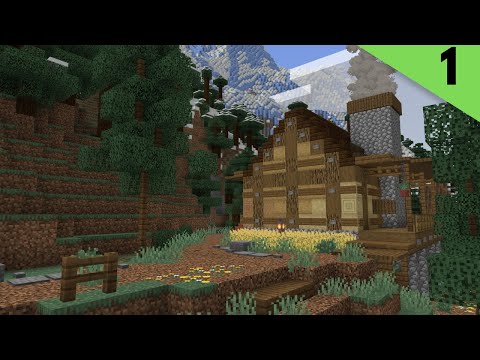

Videos belong to their creators. Examples may use custom rules, mods or older releases. Check individual listings for current server features and access. The YouTube player loads when you press play.
How to join a Bedrock server
On Windows and mobile, you can add a custom server from Minecraft’s Servers tab. Have the community’s Bedrock address and port ready before you start.
- Choose your community
Open its listing. Check the Bedrock badge, supported version, rules and connection details.
- Add the connection
In Minecraft, open Play → Servers → Add Server. Enter a name, the address and the port in their separate fields.
- Save and join
Save the entry or connect. Follow any whitelist or account instructions supplied by the server.
Playing on a console? Custom server entry is restricted in the built-in console browser. Check the official Bedrock multiplayer guidance before choosing a server.
Connection steps: Minecraft’s server joining guide. Always use the port on the listing rather than assuming a default.
What to check before you join
Your play style
Survival and SMP communities focus on a shared world; creative servers favor building. PvP and minigames suit shorter competitive sessions. Read the description to see what a server actually offers, beyond its tags.
Rules and world resets
Check land protection, PvP rules, moderation and reset schedules. These details matter if you plan to invest time in a base, economy or long-term project.
Community and activity
Compare reported player counts at your usual play time. Read the server’s community channels and consider its language and region. A high player count alone does not tell you whether it is a good fit.
Edition and version
Use Bedrock connection details even on a crossplay network. Confirm the versions the community supports. Java-only servers need a compatibility solution before Bedrock players can connect.
Explore more Bedrock communities
Change how you browse without switching editions.
Looking for the other edition? Browse Minecraft Java servers. For more ways to narrow your search, use the server finder.
Bedrock server FAQs
Practical answers about addresses, compatibility and choosing a community.
What is a Minecraft Bedrock server?
It is a multiplayer world you join using Minecraft: Bedrock Edition. Each community sets its own game modes, rules and access requirements. A Bedrock badge on MinecraftIP indicates that the listing declares Bedrock support; open the server page to check its connection details.
How do I find a Bedrock server IP and port?
Open a server listing and look for its Bedrock connection details. The address may be a domain name or an IP. Enter the address and port in separate fields in Minecraft. This directory’s Copy IP button includes the port after a colon; split those values when adding the server.
Can I join these servers from Xbox, PlayStation or Nintendo Switch?
The built-in console server browser is limited to featured servers and does not offer the same custom Add Server flow as Windows and mobile. A Bedrock-compatible address alone does not guarantee that you can join it on a console. Check the official Minecraft guidance and the server’s supported platforms first.
Can Bedrock and Java players play together?
Only when the server supports crossplay. Software such as Geyser lets Bedrock clients connect to compatible Java servers. Use the Bedrock address and port supplied by that community; a Java address by itself does not establish Bedrock support.
Which port should I use?
Use the port supplied by the server owner. The standard Bedrock dedicated-server IPv4 port is 19132, but hosts can configure a different one. A correct address with the wrong port can still fail to connect.
Why do I get “Unable to connect to world”?
Check the address, port and supported game version first. Then check whether the server is offline or full, whether it requires whitelist approval, and whether multiplayer is allowed in your account settings. The reported status on a directory can lag behind a change at the server. Contact the community if the problem continues.
How should I choose a Bedrock survival server?
Read the rules before building. Check whether PvP, land claims and griefing are allowed, whether the world resets, and how moderators handle disputes. Look for activity during the hours you play. A smaller community that fits your play style may suit you better than a busier network.
Does a higher position mean a server is the best?
No. The default directory order gives placement priority to featured and premium listings, then uses monthly and total votes. Votes and player counts are useful signals, but they are not an independent quality review. Compare rules, compatibility and community fit before joining.
Technical references: Geyser crossplay documentation and Microsoft’s Bedrock server properties. For voting or listing questions, visit our MinecraftIP FAQ.