
Minecraft 1.19 Servers
Compare communities, check the rules and find your next server.Find listings that advertise Minecraft 1.19 compatibility and compare their game modes, edition support and access rules. This page is useful when a community or existing installation still uses that version group. Confirm the owner’s recommended client before moving a profile or inviting friends.
AdvertisementMinecraft 1.19 Servers


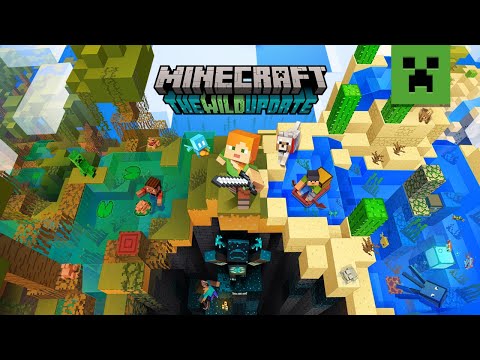
Minecraft 1.19: The Wild Update
Watch release coverage and feature demonstrations for The Wild Update. These videos explain the update itself; a server accepting this client version may run different world features or plugins.


Minecraft 1.19 guides
Wild Update feature guides covering deep dark, mangrove and related content. Avoid confusing 1.19 world generation with later cave updates.



Host a 1.19 server
Create a Paper server for 1.19.x. Keep backups before upgrading a 1.18 world into this generation.


Videos belong to their creators. Examples may use custom rules, mods or older releases. Check individual listings for current server features and access. The YouTube player loads when you press play.
A closer look at this directory
This directory currently has 488 servers. The 20 shown on this page include 20 declaring Java support and 10 declaring Bedrock support; 10 declare both. Listings supporting both editions appear in both counts.
Tags on these listings: Creative, Factions, Prison, RPG, SkyBlock, Towny, war, CityBuild.
Declared version groups: 26, 1.21, 1.19, 1.8, 1.2, 1.7. What version labels mean.
Choosing a server for Minecraft 1.19
Check the age of joining instructions
Compare the listing with the community’s latest connection announcement. A server may upgrade its world or change accepted clients while retaining older descriptive text. Resolve conflicting instructions before downloading or switching versions.
Need connection help? Follow the Java joining steps or Bedrock joining steps.
Minecraft 1.19 server FAQs
Does a 1.19 badge mean the server is still maintained?
It describes declared compatibility, not maintenance quality. Look for current announcements, working support and a recent response to connection questions; an older supported client alone is not proof that a community is abandoned.
Project documentation: ViaVersion compatibility project · Geyser supported versions. Server-specific settings and access rules still come from the community.
Other versions with listings
These directories currently have listings to explore. Check each server’s details before changing editions or installations.