
Cross-Play Minecraft Servers
Compare communities, check the rules and find your next server.Crossplay communities let compatible Java and Bedrock clients meet on the same network. That does not mean both editions use the same address, port or login process. Check the connection details for your edition and the supported client versions before inviting friends.
AdvertisementCross-Play Servers
855 servers
1. 
alwination.id
2. 
langbangvn.net
3. 
kalwi.id
4. 
relxmc.com
5. 
mc.seria.id
6. 
club.guardiancraft.com.br
7. 
nusantarabatu.id
8. 

zedix.de
9. 

magmamc.de
10. 
shoresmp.net
11. 

play.lootvoid.org
12. 

jogar.redeprisma.online
13. 

play.concordmc.net
14. 
play.genfruit.net
15. 
mcsl.evervale.fun
16. 
mc.stapelbande.de
17. 
play.vitalitysmp.win:19020
18. 

arc.ultramc.co
19. 
cosmicsky.com
20. 
minekube.net
WATCH & EXPLORE
Java and Bedrock crossplay: gameplay & guides
See Java and Bedrock players in shared challenges, a crossplay demonstration and a setup walkthrough. Crossplay support and console access still depend on the particular server.
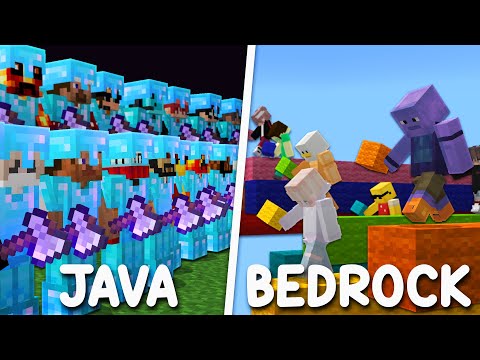


LEARN THE MODE
Cross-play tutorials
How Java and Bedrock players connect through Geyser-style bridges. Console store editions and account linking still have platform limits.


RUN A SERVER
Set up Cross-play
Install Geyser and Floodgate on a Java server so Bedrock clients can join. Test authentication and port forwarding on both editions.


Videos belong to their creators. Examples may use custom rules, mods or older releases. Check individual listings for current server features and access. The YouTube player loads when you press play.
A closer look at this directory
This directory currently has 855 servers. The 20 shown on this page include 20 declaring Java support and 19 declaring Bedrock support; 19 declare both. Listings supporting both editions appear in both counts.
Tags on these listings: casual, Cross-Play, Earth, OneBlock, SkyBlock, SMP, Survival, Towny.
Declared version groups: 26, 1.7, 1.21, 1.8, 1.19, 1.2. What version labels mean.
What to check on a Cross-Play server
Use the correct endpoint
Copy the Java address for Java Edition or the Bedrock address and port for Bedrock. Owners may route each edition through a different hostname even when players share a world.
Confirm account instructions
Follow the network’s own account-linking and authentication guidance. Crossplay support alone does not tell you whether linking is optional or how a username appears in-game.
Check the game you want
A crossplay hub may offer modes with different compatibility limits. Confirm that your group can enter the same mode, form a party and use its required interfaces.
Test with your actual devices
Invite a friend for a short test before starting a major build. Console access, controls and custom interfaces can differ from Windows or mobile access.
Need connection help? Follow the Java joining steps or Bedrock joining steps.
Cross-Play server FAQs
Is crossplay built into every Java server?
No. A Java server needs compatible bridging software or another documented solution to accept Bedrock clients. A Java version label alone does not establish crossplay support.
What does Geyser do?
Geyser bridges Bedrock clients to Java servers. Its supported versions change, so use the community’s current instructions and the Geyser documentation rather than assuming any two versions will work.
Do both editions use the same IP?
They can, but they do not have to. The port can also differ. Use the separately labelled connection details on the server page.
Can console players join any crossplay server?
Not automatically. The built-in console browser restricts custom server entry. Confirm the platform’s supported connection options instead of treating the Cross-Play tag as a console-access guarantee.
Will my Java inventory appear on Bedrock?
That depends on how the server identifies and links accounts. Ask before switching editions; do not assume the two logins represent one player profile.
Do I need to install Geyser on my device?
The bridge is normally operated by the server or network. Players should follow the server’s joining instructions; do not install random client downloads advertised as necessary for ordinary crossplay.
Project documentation: Geyser overview · Supported Geyser versions. Server-specific settings and access rules still come from the community.
Explore more game modes
These directories currently have listings to explore. Check each server’s details before changing editions or installations.