
A Lobby tag usually describes the entrance to a network, where players select another game mode. The lobby itself may have little gameplay. Compare the destinations it offers, their separate access requirements and their activity before treating the network’s overall count as a useful guide.
AdvertisementLobby Servers
No Lobby servers listed yet. Browse other tags or try the server finder.
Lobby: gameplay & guides
Tour Hypixel's main lobbies and explore a seasonal egg hunt. These examples show how a lobby can combine navigation, meeting spaces and small activities between game modes.


Lobby tutorials
How lobby and hub systems present game selectors and player services. These examples show common hub patterns; each network designs its own layout.


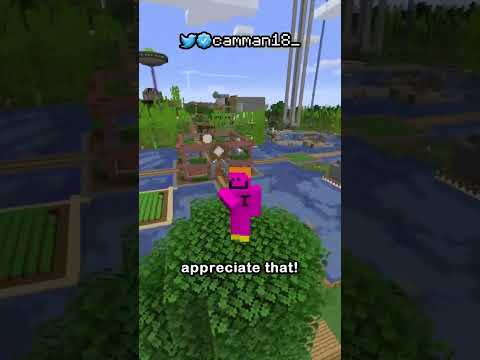
Set up a Lobby server
Install DeluxeHub or similar lobby plugins, including server selectors. Test portals and permissions before pointing a proxy at the hub.


Videos belong to their creators. Examples may use custom rules, mods or older releases. Check individual listings for current server features and access. The YouTube player loads when you press play.
A closer look at this directory
There are no matching listings here yet. The guide below explains what to look for when a community becomes available. For a server you can investigate now, use the populated directories below or the server finder.
What to check on a Lobby server
Inspect the destination menu
Find out which modes are actually open and which are advertised as coming soon. A large selection of icons is less useful than a few populated, maintained destinations.
Check per-mode compatibility
A network may accept your client at its entrance but restrict individual modes by version, edition or modpack. Confirm the requirements for the activity you want.
Understand shared progress
Currency, inventories and ranks may be global or isolated. Check transfer rules before earning rewards in one mode with the expectation of using them in another.
Plan a group session
Learn the party or server-selection commands. Friends entering the same lobby can still end up in separate queues, teams or instances.
Need connection help? Follow the Java joining steps or Bedrock joining steps.
Lobby server FAQs
Is a lobby a game mode?
Usually it is a navigation or waiting area. Some add small activities, but you should inspect the connected modes to understand the main experience.
Does the displayed player count belong to one game?
It may represent the network as a whole. Look for a destination-specific count or queue before choosing a competitive mode.
Can Java and Bedrock friends use the same lobby?
Only if the network supports both editions. Even then, confirm that the destination mode supports crossplay rather than only the entrance.
Why can I connect but not join a mode?
The destination may be full, offline, restricted to a version, or require approval. Read the transfer error and check that mode’s requirements.
Will my inventory follow me between modes?
Not necessarily. Networks often separate inventories and economies, and transfers can be limited or disallowed.
How do I stay with friends?
Use the network’s party system if available and choose a queue that fits your group. Check whether parties remain together when moving between destinations.
Explore more game modes
These directories currently have listings to explore. Check each server’s details before changing editions or installations.