play.minewonderland.net
43 players
Cross-Play
Modpack
Direwolf20 servers use a named modpack release, with different editions built around different Minecraft versions. The familiar name is not enough to establish compatibility. Check the edition and pack build, then compare how the community manages automation, chunk loading and shared bases.
Advertisement


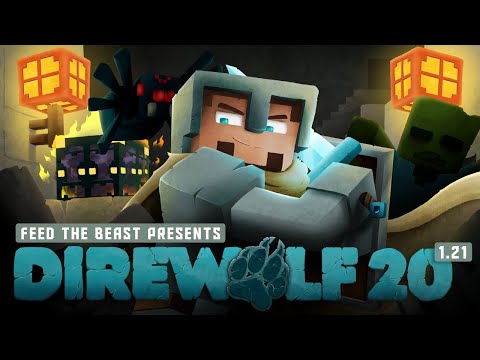
Compare starting worlds in the Direwolf20 1.16, 1.19 and 1.21 packs. The pack's mod list changes between versions, so match a playthrough to the server's required release.
Getting-started episodes and quick-start guides for Direwolf20-style tech packs. Pack versions differ—follow the one your server runs.
Install a Direwolf20 / FTB-style modpack server. Prefer the pack’s official server files over improvising a client pack upload.
Videos belong to their creators. Examples may use custom rules, mods or older releases. Check individual listings for current server features and access. The YouTube player loads when you press play.
This directory currently has 2 servers. The 2 shown on this page include 2 declaring Java support and 2 declaring Bedrock support; 2 declare both. Listings supporting both editions appear in both counts.
Tags on these listings: all the mods, Direwolf20, Feed The Beast, ftb revelation, OneBlock, Pixelmon, Roleplay, sky factory.
Declared version groups: 1.13, 1.12, 1.11, 1.10, 1.9, 1.8. What version labels mean.
Ask for the full pack title and release number. A guide recorded for another Direwolf20 edition can use mods, recipes or mechanics absent from your installation.
Check rules for unattended machines, loaded chunks and high-volume item transport. Plan a base around the server’s actual limits rather than a singleplayer setup.
Machines and storage can use permissions beyond ordinary block claims. Test access with a teammate before connecting a valuable shared inventory.
Pack updates may require maintenance or changes to builds. Look for an announced update process and backup policy rather than assuming a running world never changes.
Need connection help? Follow the Java joining steps or Bedrock joining steps.
No. Different editions and pack releases can require different installations. Match the full version information.
Use tutorials for the relevant pack edition where possible. Recipes, mod availability and server restrictions may differ.
Only if the server documents them. Ask about required additions and allowed optional client mods before changing the installation.
Check the community’s rules. They may be disabled, limited per player or restricted to times when someone is online.
Usually only with the correct claim and machine permissions. Some systems need separate access settings.
Not every update requires it, but the owner decides the migration plan. Read the specific maintenance announcement.
Project documentation: FTB pack releases. Server-specific settings and access rules still come from the community.
These directories currently have listings to explore. Check each server’s details before changing editions or installations.